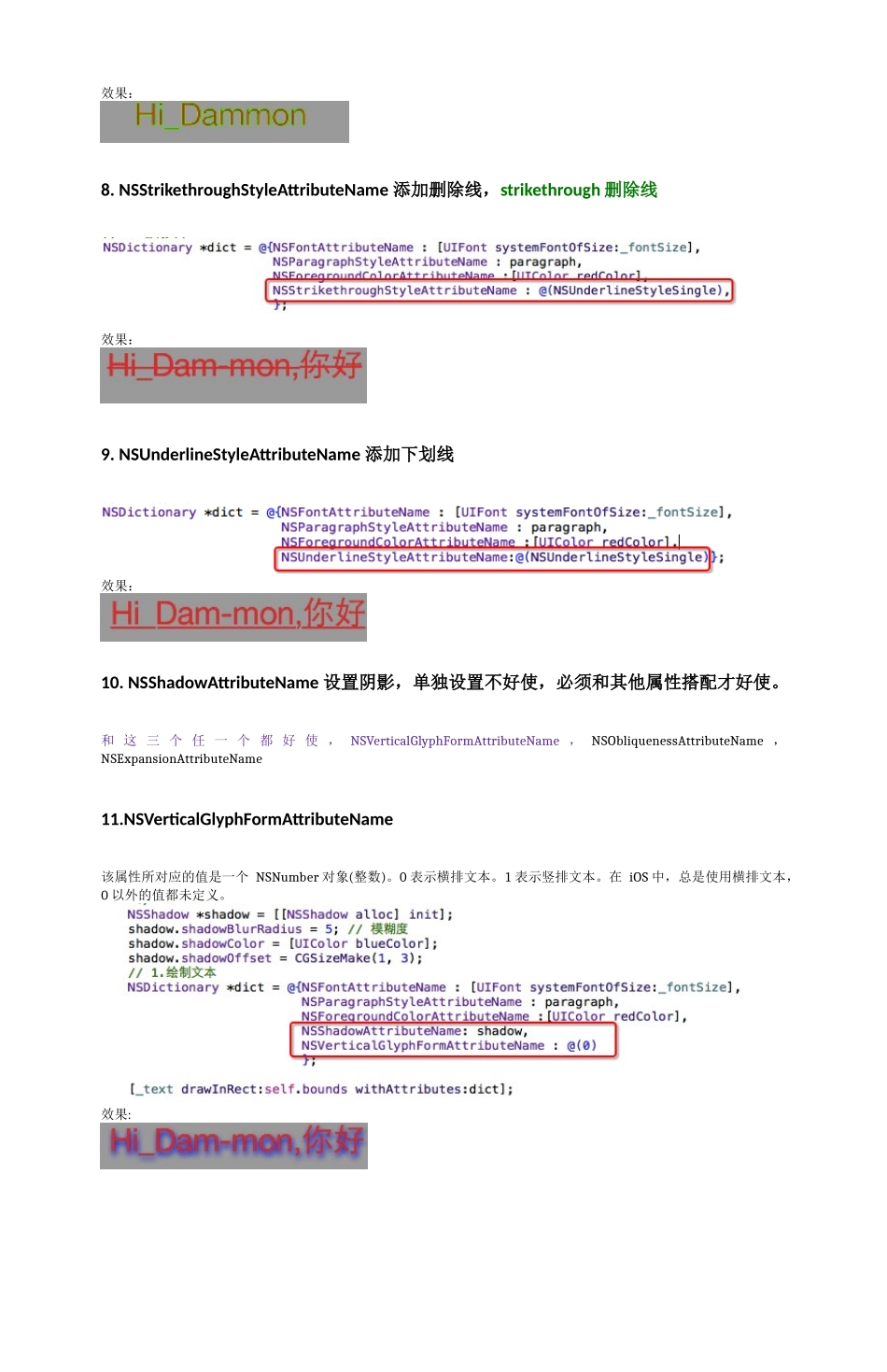
文本属性Attributes1.NSKernAttributeName:@10调整字距kerning字距调整2.NSFontAttributeName:[UIFontsystemFontOfSize:_fontSize]设置字体3.NSForegroundColorAttributeName:[UIColorredColor]设置文字颜色4.NSParagraphStyleAttributeName:paragraph设置段落样式5.NSMutableParagraphStyle*paragraph=[[NSMutableParagraphStylealloc]init];paragraph.alignment=NSTextAlignmentCenter;6.NSBackgroundColorAttributeName:[UIColorblackColor]设置背景颜色7.NSStrokeColorAttributeName设置文字描边颜色,需要和NSStrokeWidthAttributeName设置描边宽度,这样就能使文字空心.NSStrokeWidthAttributeName这个属性所对应的值是一个NSNumber对象(小数)。该值改变描边宽度(相对于字体size的百分比)。默认为0,即不改变。正数只改变描边宽度。负数同时改变文字的描边和填充宽度。例如,对于常见的空心字,这个值通常为3.0。同时设置了空心的两个属性,并且NSStrokeWidthAttributeName属性设置为整数,文字前景色就无效果了效果:效果:8.NSStrikethroughStyleAttributeName添加删除线,strikethrough删除线效果:9.NSUnderlineStyleAttributeName添加下划线效果:10.NSShadowAttributeName设置阴影,单独设置不好使,必须和其他属性搭配才好使。和这三个任一个都好使,NSVerticalGlyphFormAttributeName,NSObliquenessAttributeName,NSExpansionAttributeName11.NSVerticalGlyphFormAttributeName该属性所对应的值是一个NSNumber对象(整数)。0表示横排文本。1表示竖排文本。在iOS中,总是使用横排文本,0以外的值都未定义。效果:12.NSObliquenessAttributeName设置字体倾斜。Skew斜效果:13.NSExpansionAttributeName设置文本扁平化效果: